Resource Availabilty
In this Resource availability module, the user able to view and manage the resources allocation and availability
- Resource availabilty sub module also has 2 views.
- Delivery Manager, CXO, HR MANAGER, ADMIN can view and manage this module.
Overview
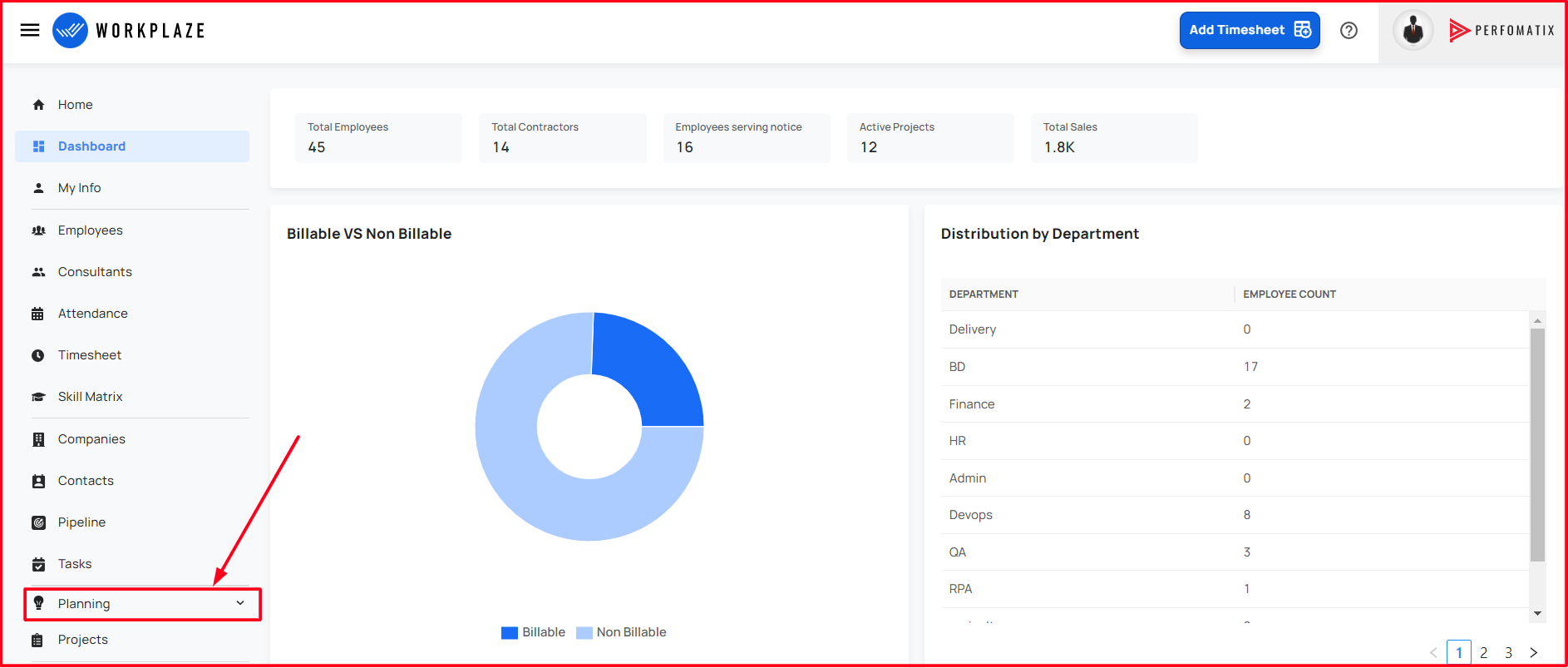
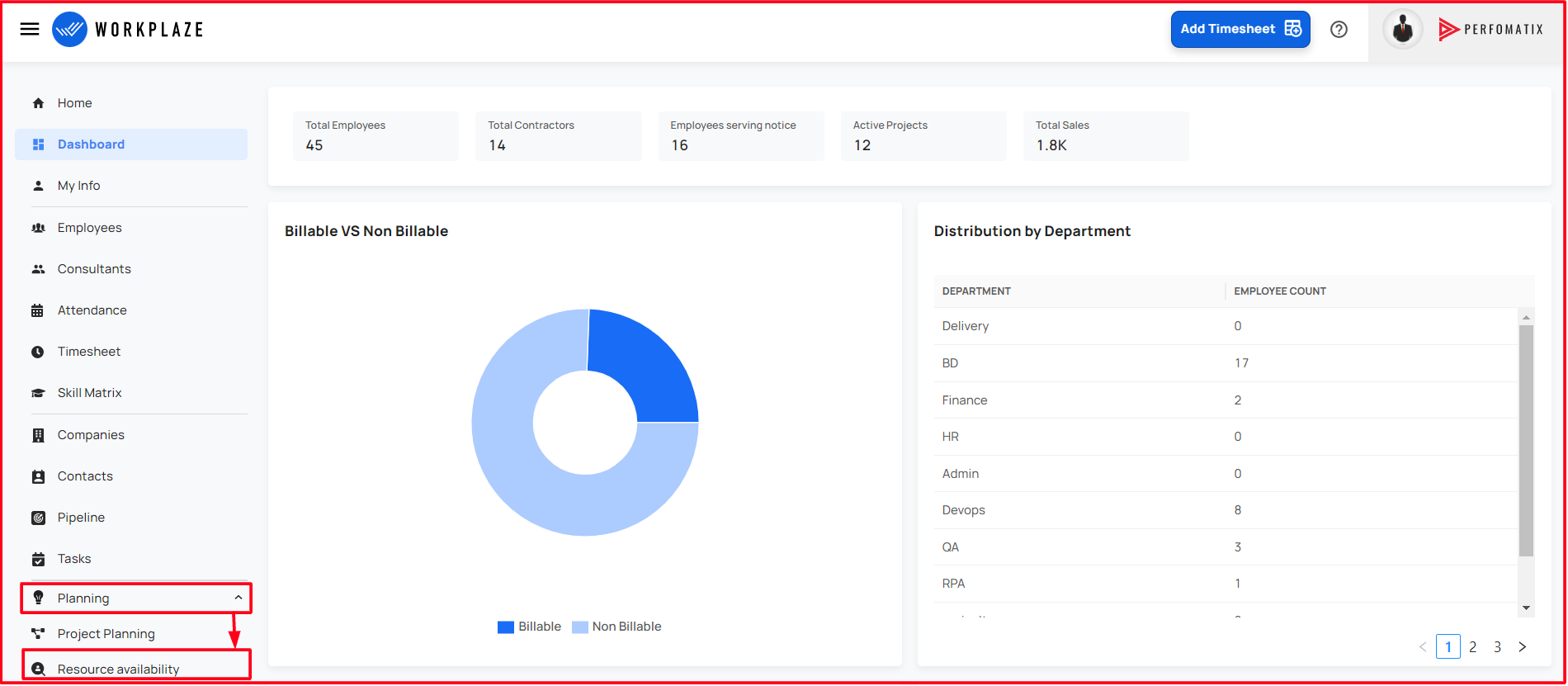
Navigate to Resource Availability
Workplaze → Planning → Resource Availability
Allocation
- Allocation is the default view
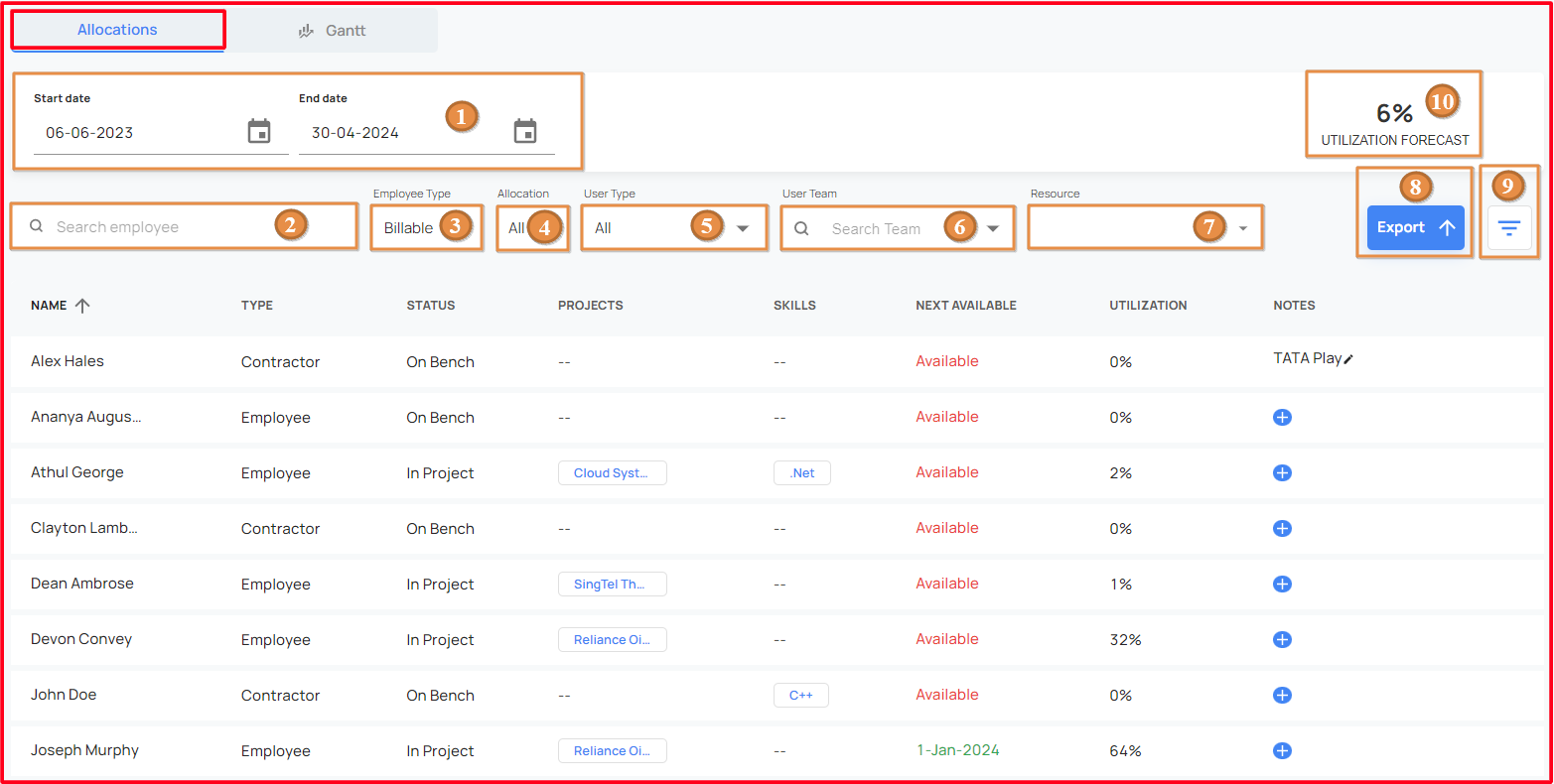
By filling the below mandatory fields, the user able to get the reports!
Various filters are available to get a particular resource.
- Start date and End date
- It represents the period of time which the user required!
- Search Employee
- The user able to search the particular resource by name
- Employee Type
- The Resources can be filtered depending whether resource is billable or not!
- Allocation
- The user can filter user based on whether he is allocated to a project or on bench
- User Type
- The user able to choose the resource type!
- User Team
- The user able to choose the resources by using the user team!
- Resource
- The user able to choose the resources from the user team!
- Exports
- The User able to export the reports!
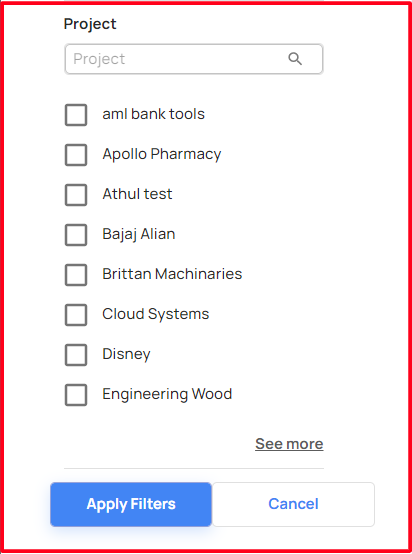
- Advanced Filter
 - When clicked on advanced filter, UI will render a drawer with advanced options.
 - Advanced filter options are **Skill**, **Project**.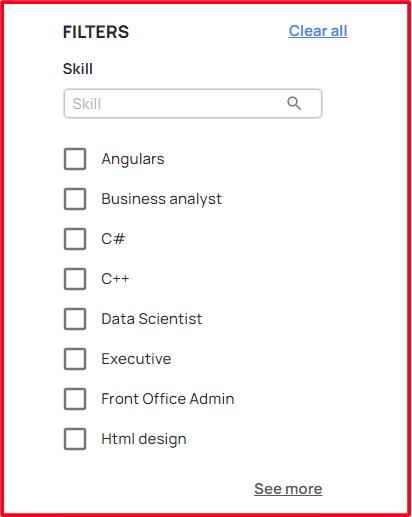
- Utilization Forecast
- Total utilization of resources!
- Start date and End date
After filling the mandatory fields,
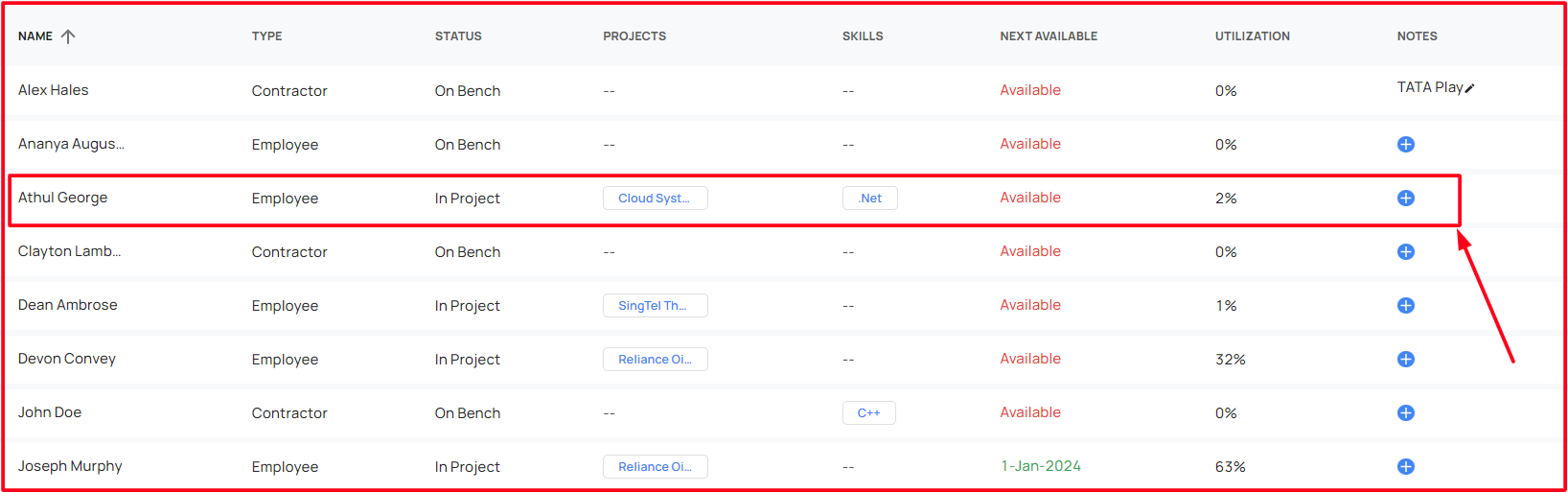
This view consists the following details for the mentioned period of time:
- **Name**
  - It shows the active resources name
  - The user able to sort the resource name by ascending or descending order!
- **Type**
  - It shows the type of the resources
- **Status**
  - It shows the current project status of the resources
- **Project**
  - It shows the assigned project details if they are in!
- **Skills**
  - It shows the skills details of the resources if they have!
- **Next Available**
  - It shows the availability of the resource!
- **Utilization**
  - It shows the utilization of the resource into the projects!
- **Notes**
  - The user able to update a note for the each resources!
  - When clicked on the **" + "** sign under the notes, user can add notes to that resource.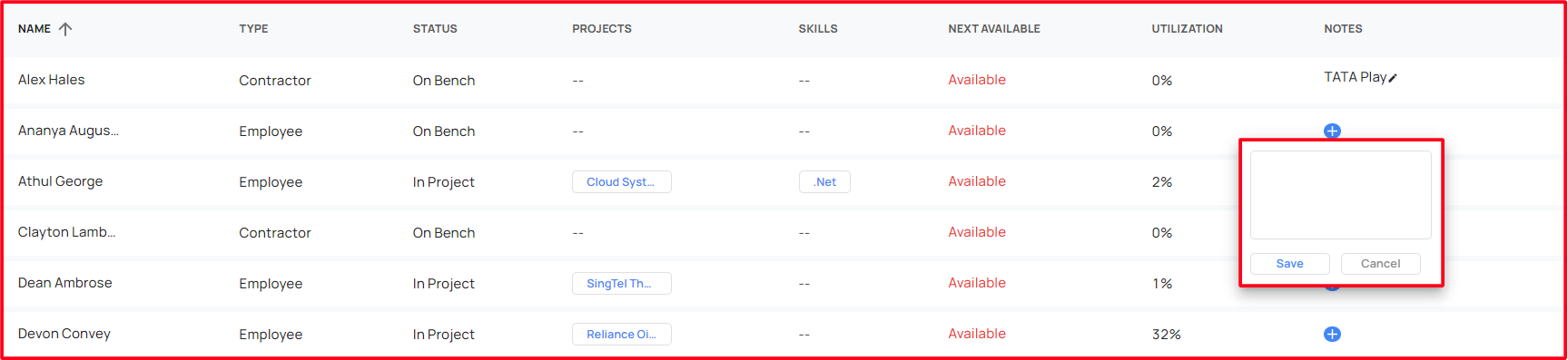
- When clicked on a resource, a form will pop up with all the details of that resource.
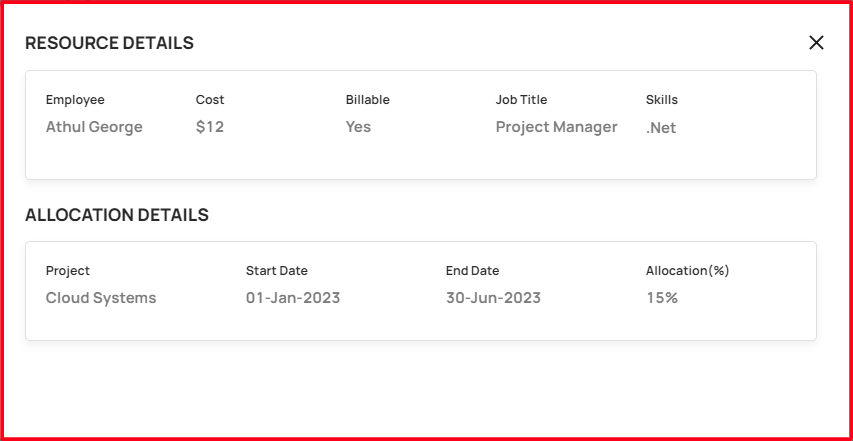
- The pop up form will gives the details of the resource like usertype, cost, billable, jobtitle, skills etc. This popup form will also gives the details of project the user is allocated including its startdate, enddate, allocation percentage etc.
- When clicked on a resource, a form will pop up with all the details of that resource.
Gantt
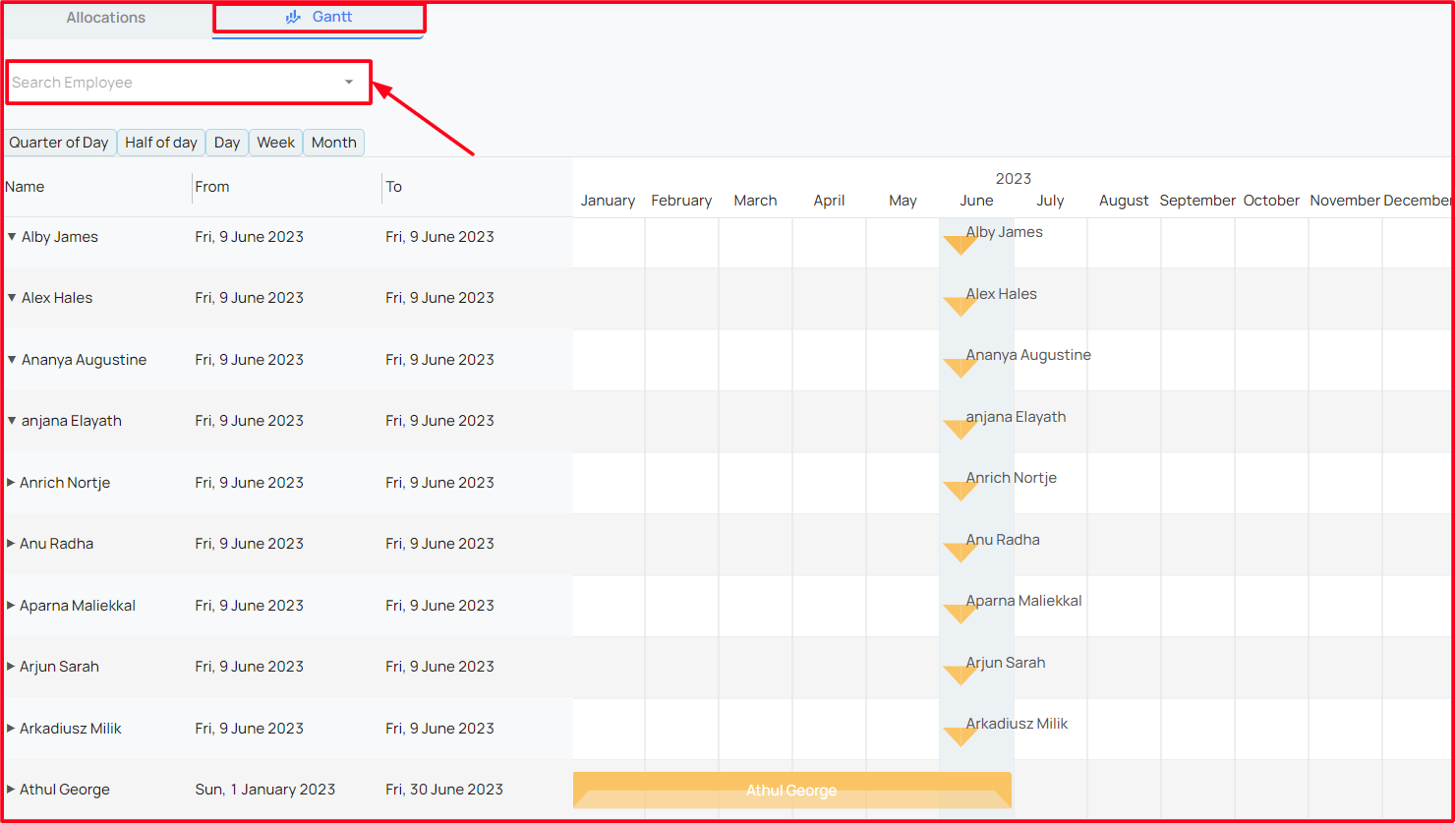
- This Gantt chart in the resource availabilty module is based on the resource allocations
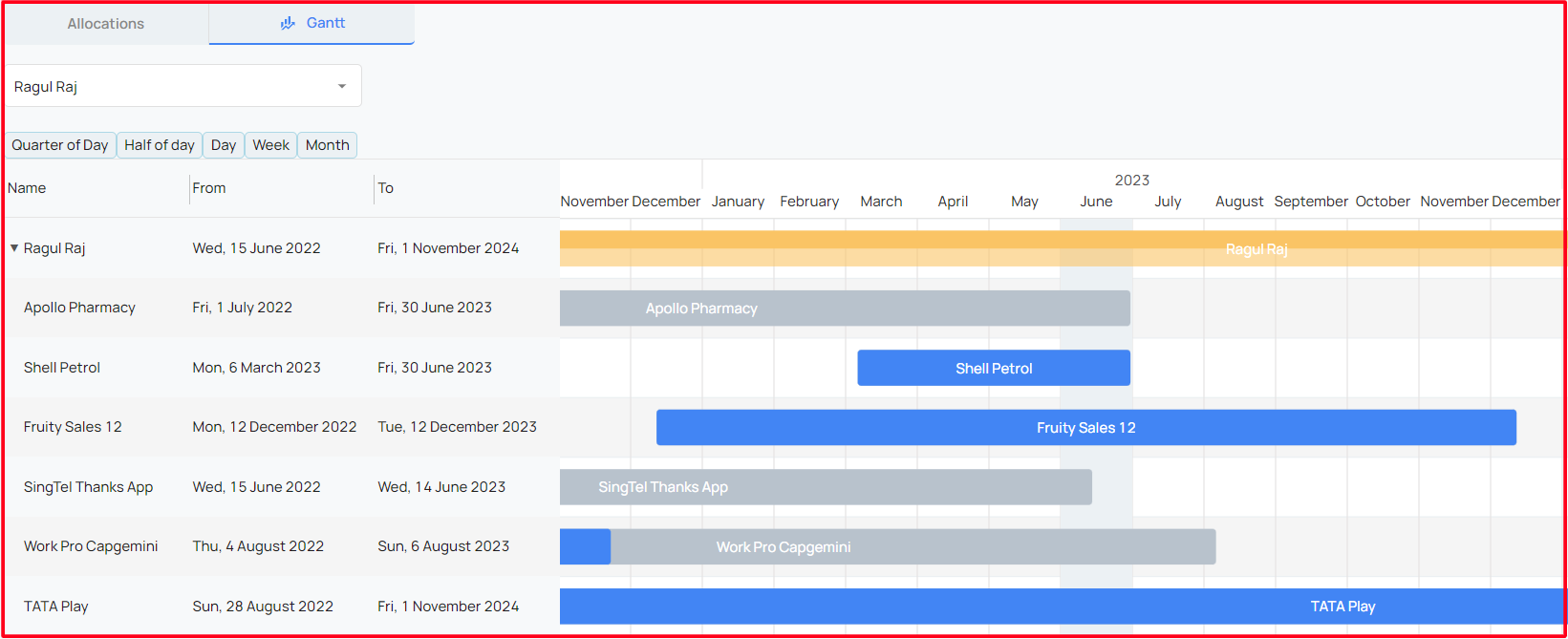
- The Gantt chart can be filtered using the user name to view their project allcation period!