Consultant Module
In the application, Consultant module shows the details of contractors/consultants added. CXO, HR Executive and Admin can only edit this module. The users added in the user managment section under the usertype Contractors are listed here.
Overview
The consultants module has two sections available, Consultants and Insights.
Navigate to Consultants
Workplaze → Consultants
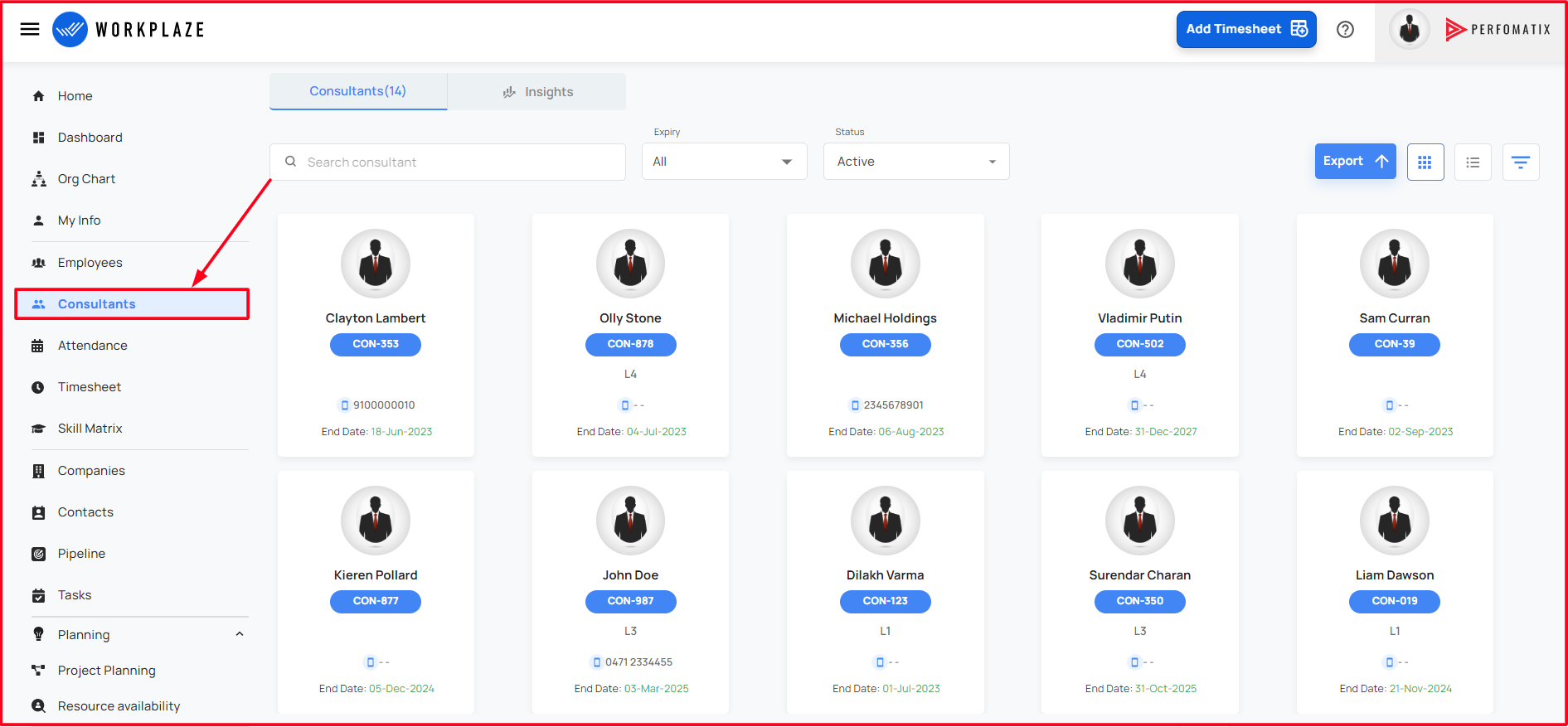
Consultants
The consultants are the default view of the consultant module which shows the grid view of consultants.
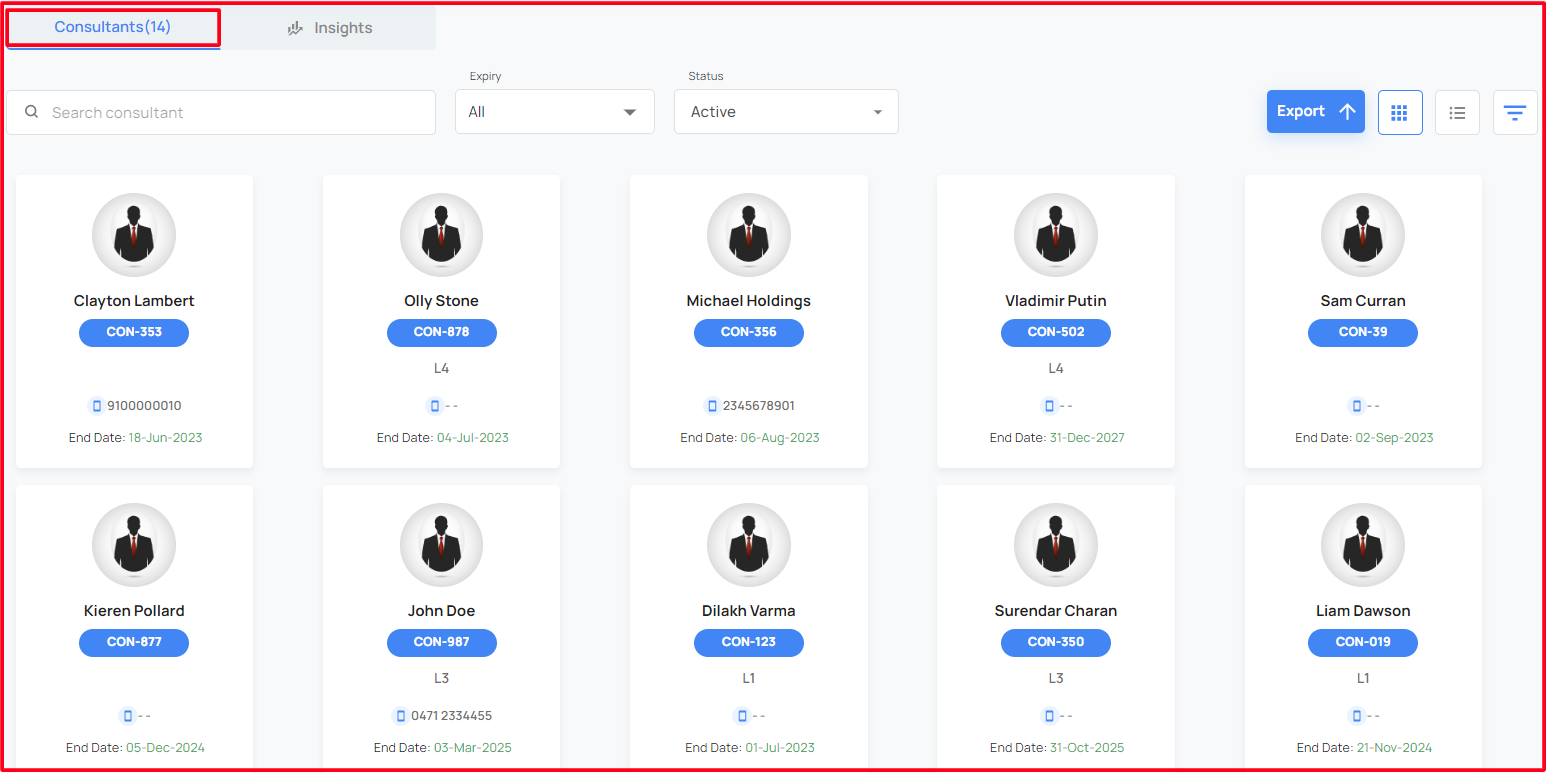
UI Options for Consultant Section
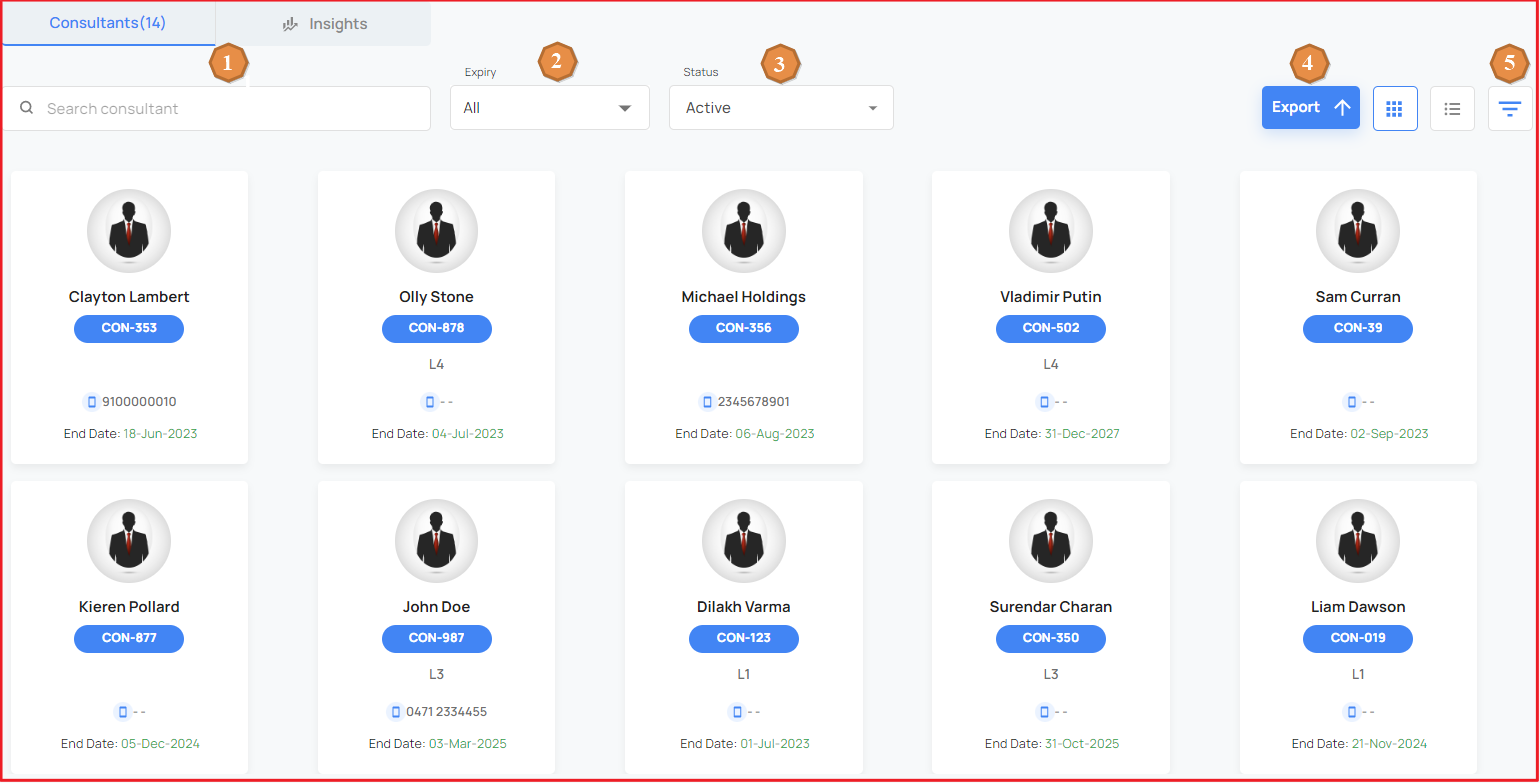
- Search Consultant
- Will allow user to search consultant by name
- Expiry
- User can filter consultants using their contract expiry date options like expired or expiring in 10 days.
- All is the default value
- Status
- User can filter consultants using their status. The filter options available are All, Active, Inactive, Completed, Terminated.
- Active is the default option.
- Export
- The consultants details can be exported to Excel Sheets using Export Button.
- Filter
- Advanced Filter allow you search consultants using various filters. When you press filter
button from ui, a drawer will render on the screen with various filtering options like
- Job Level
- Departments
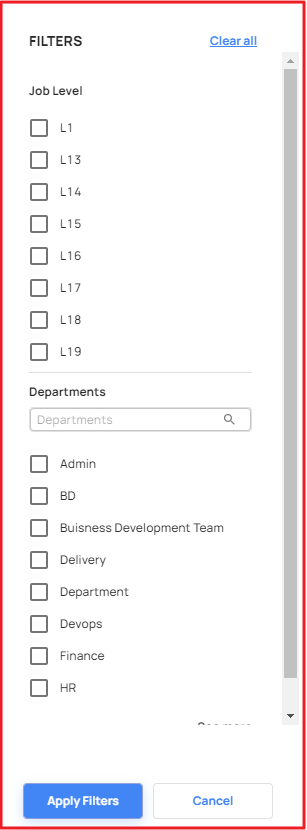
- Advanced Filter allow you search consultants using various filters. When you press filter
button from ui, a drawer will render on the screen with various filtering options like
Edit Consultants
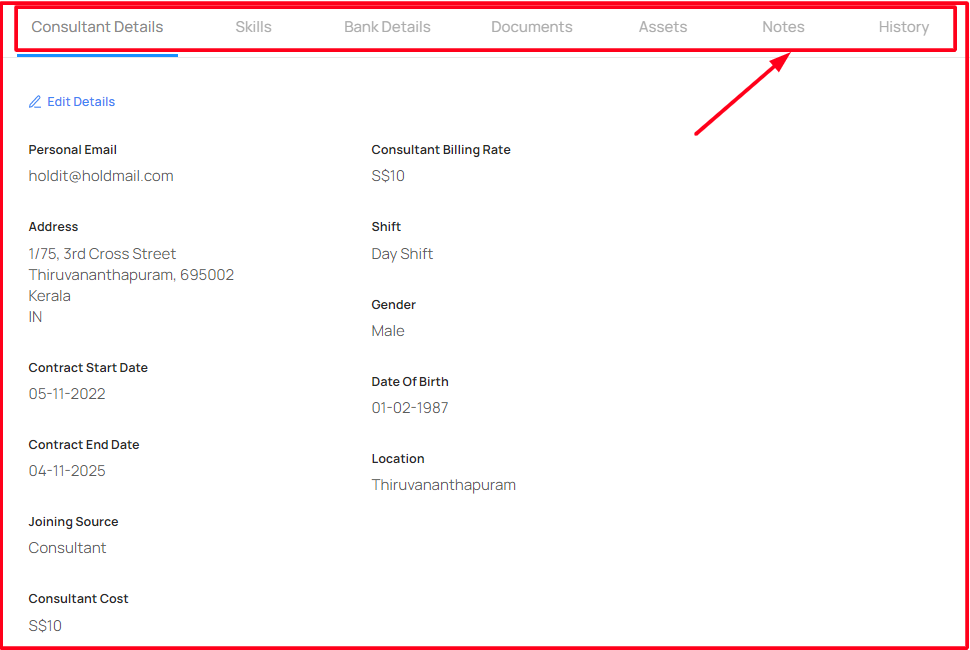
When a particular consultant is clicked, it is redirected to a new page with that consultant's details.
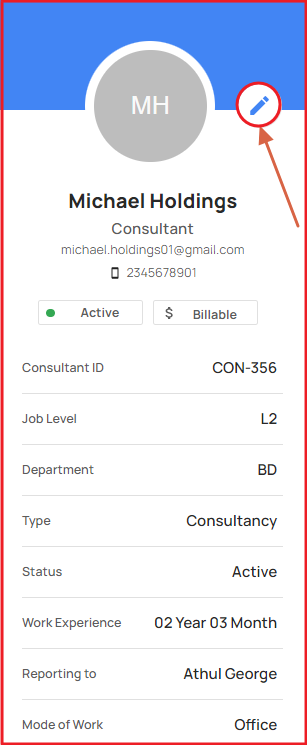
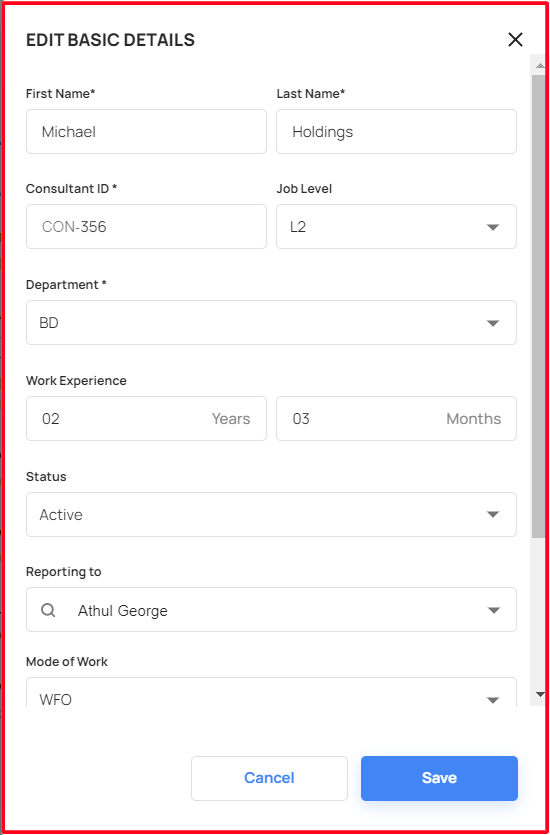
The basic details of that consultant, which was added at the time of user addition can be edited by clicking the above shown edit button. Then a form pops up with already added details in it.
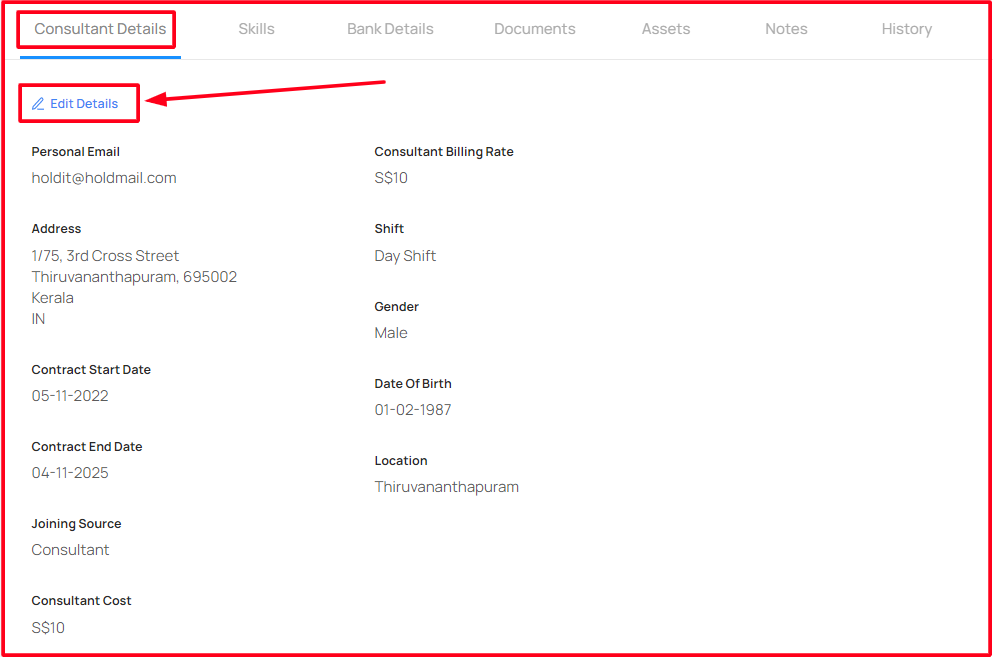
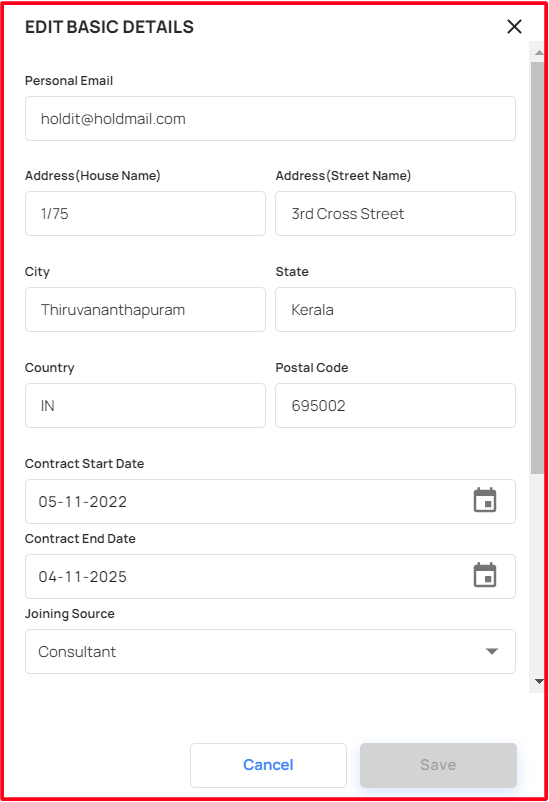
Further details of the consultant like Address, contract start date, end date etc can be added using edit details button.
Edit Basic Details Form
Click the edit details, a new pops up form opened, by filling the details able to add the details of the consultant!
Likewise more details on skills,Banks details,Documents,assets can be added in this section.
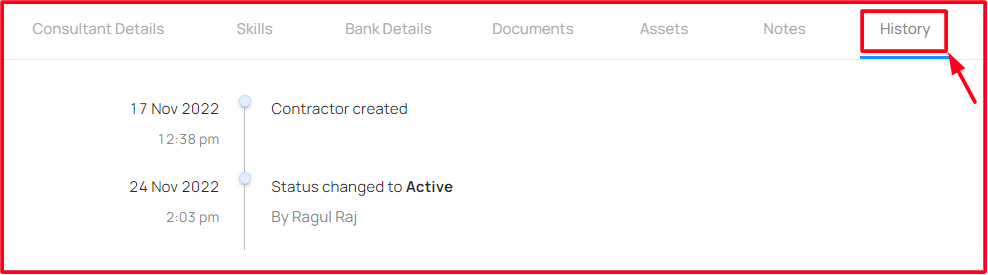
History
- The history in the above section gives details of each and every status change of a consultant since added.
Insights
This section gives deep and accurate details and visual record of consultant section which includes

Total Consultant
- Total number of the consultants in the organization
Consultant Expiring within 10 days
- Count of the consultants whose contract ends within 10 days
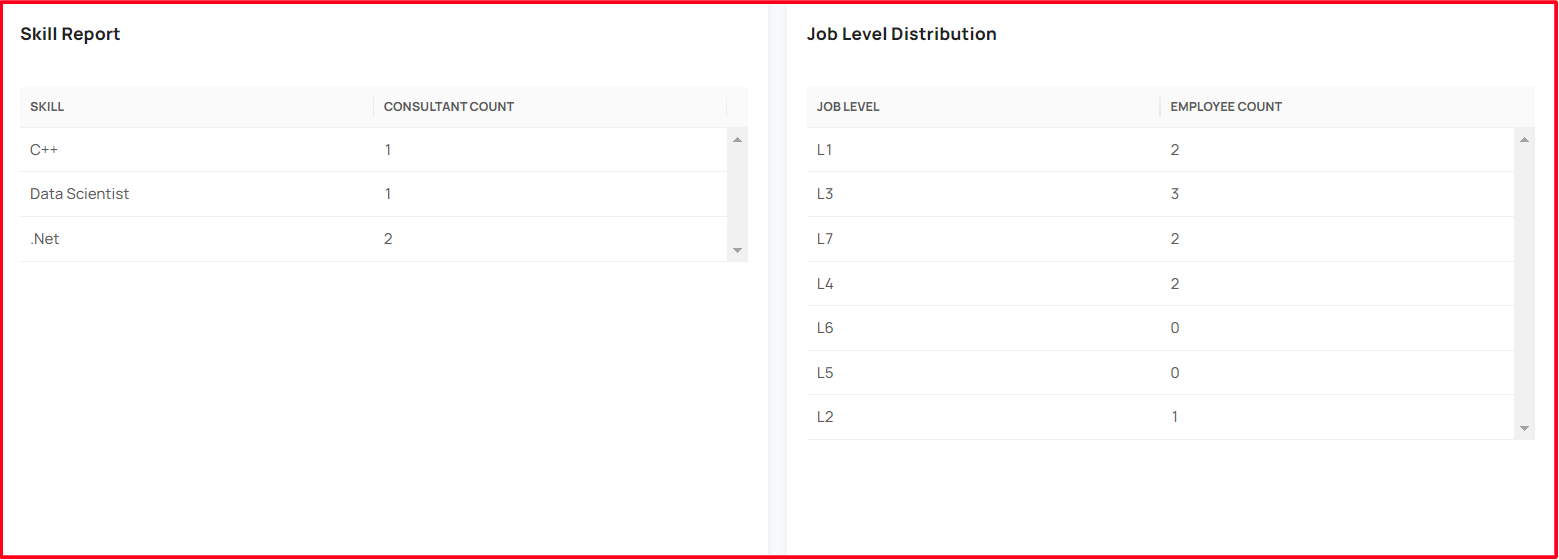
Skill report
- Shows consultant count in each skill
Job level distribution
- Shows consultant count in each job levels
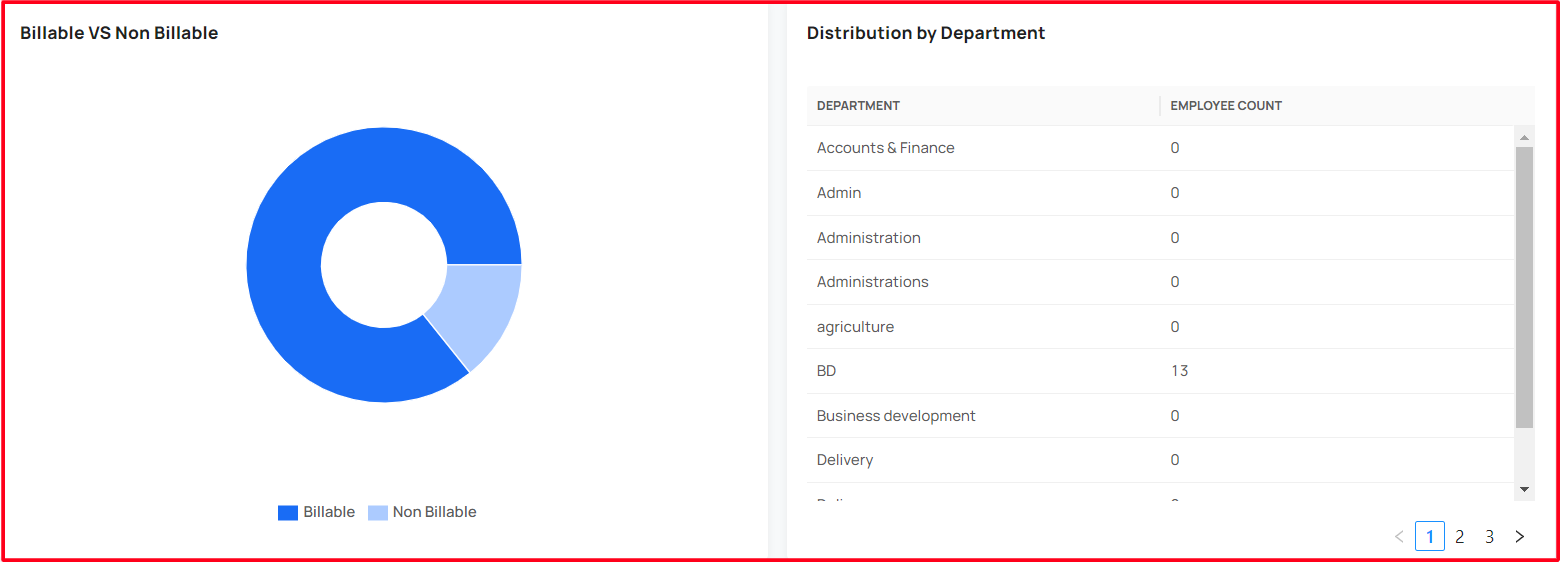
Billable Vs Non Billable
- Shows the ratio of Billable and Non-Billable consultants
Distribution by Department
- Shows consultants count in the each department