Attendance Module
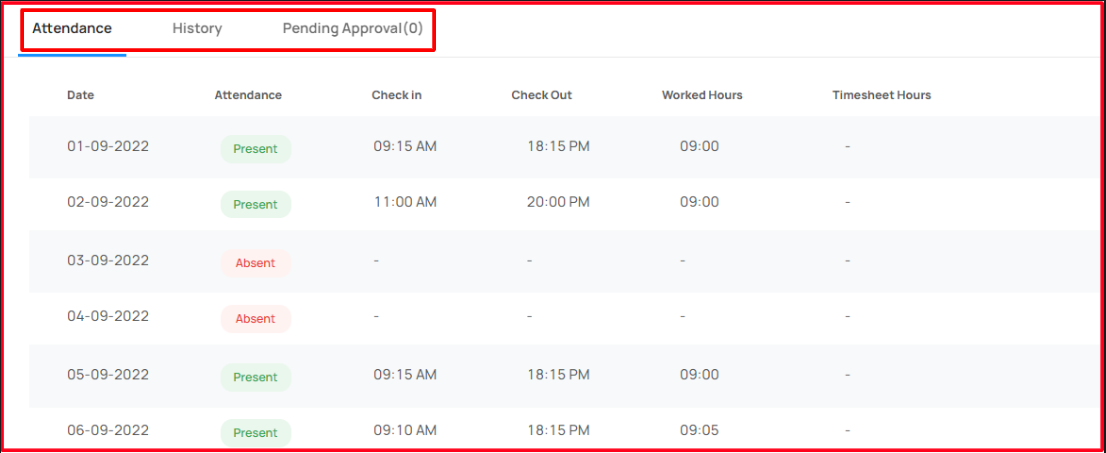
In this application, the user able to mark and manage their attendance in the attendance module.
Overview
Navigate to Attendance
Workplaze → Attendance
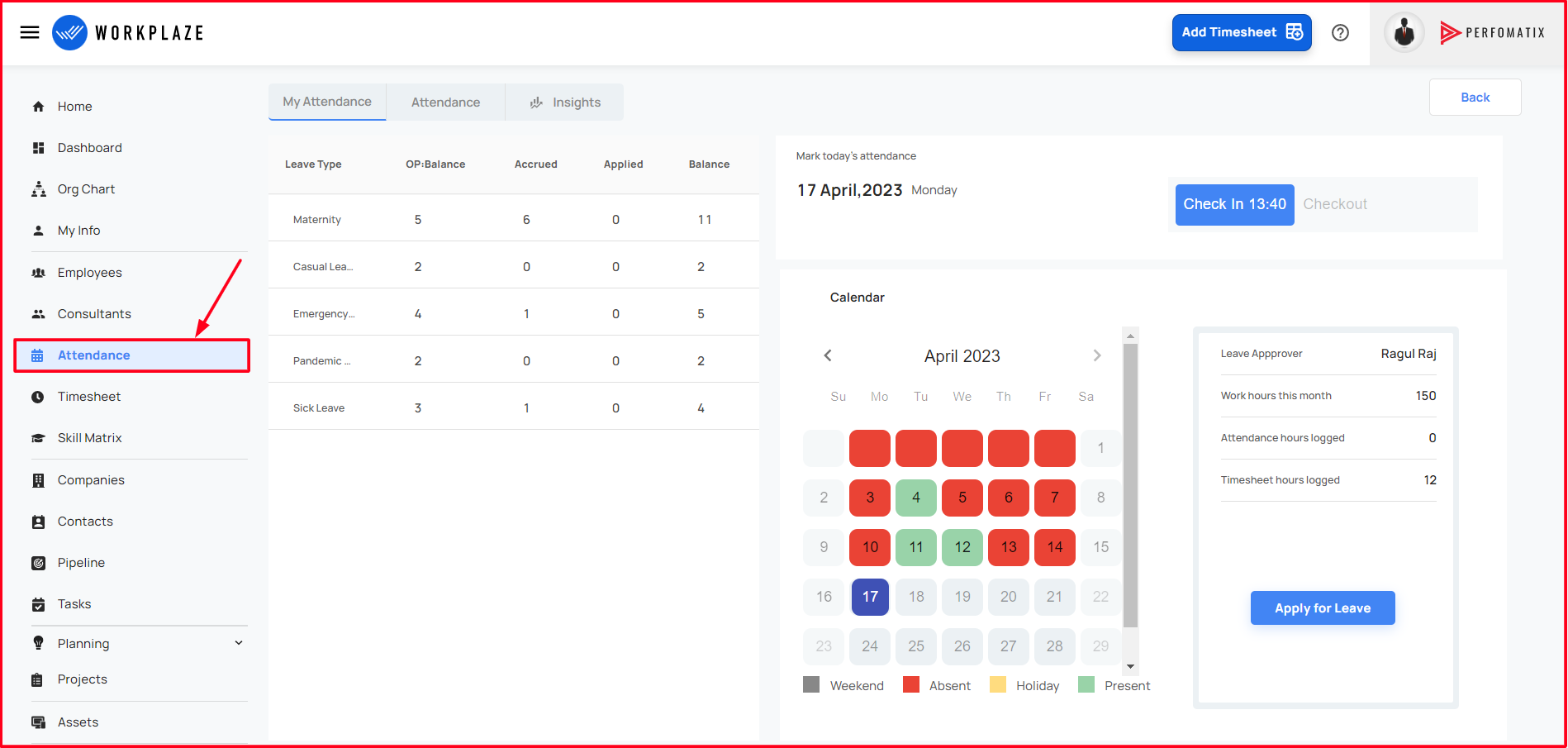
Attendance data
- Able to register the attendance
- Able to modify the attendance
- Able to view the calendar with holidays
Check-in and Check-Out
When User clicking the Check-In & Check-Out buttons, user can enter their attendance for calendar day and System supports one check-in/check-out in one calendar day

When the User scroll down the page, User can do the attendance modification by using edit / delete button for current month only
If User hover the particular row then Edit/Delete button will be shown
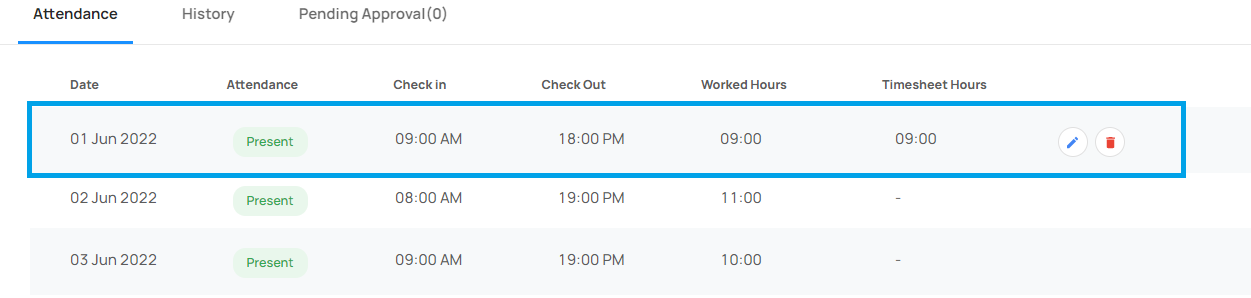
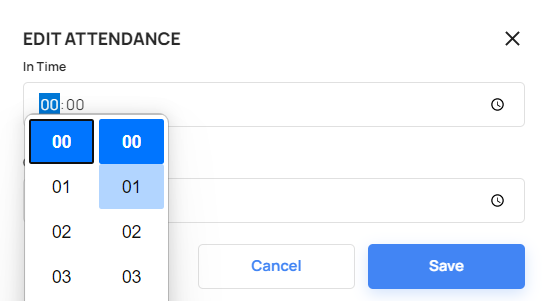
Edit the Attendance
When User click the edit button in a particular date, a pop window will appear and user can edit the Checked-In & Checked-Out time
Delete the Attendance
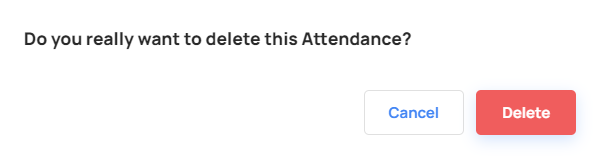
When the User try to delete a particular date attendance, User can delete it by using the delete button. Clicking the delete button pop-up window will appear to delete it
Attendance Manager View
Login -> Attendance -> Attendance
Only HR/Admin/CXO users can modify others attendance data
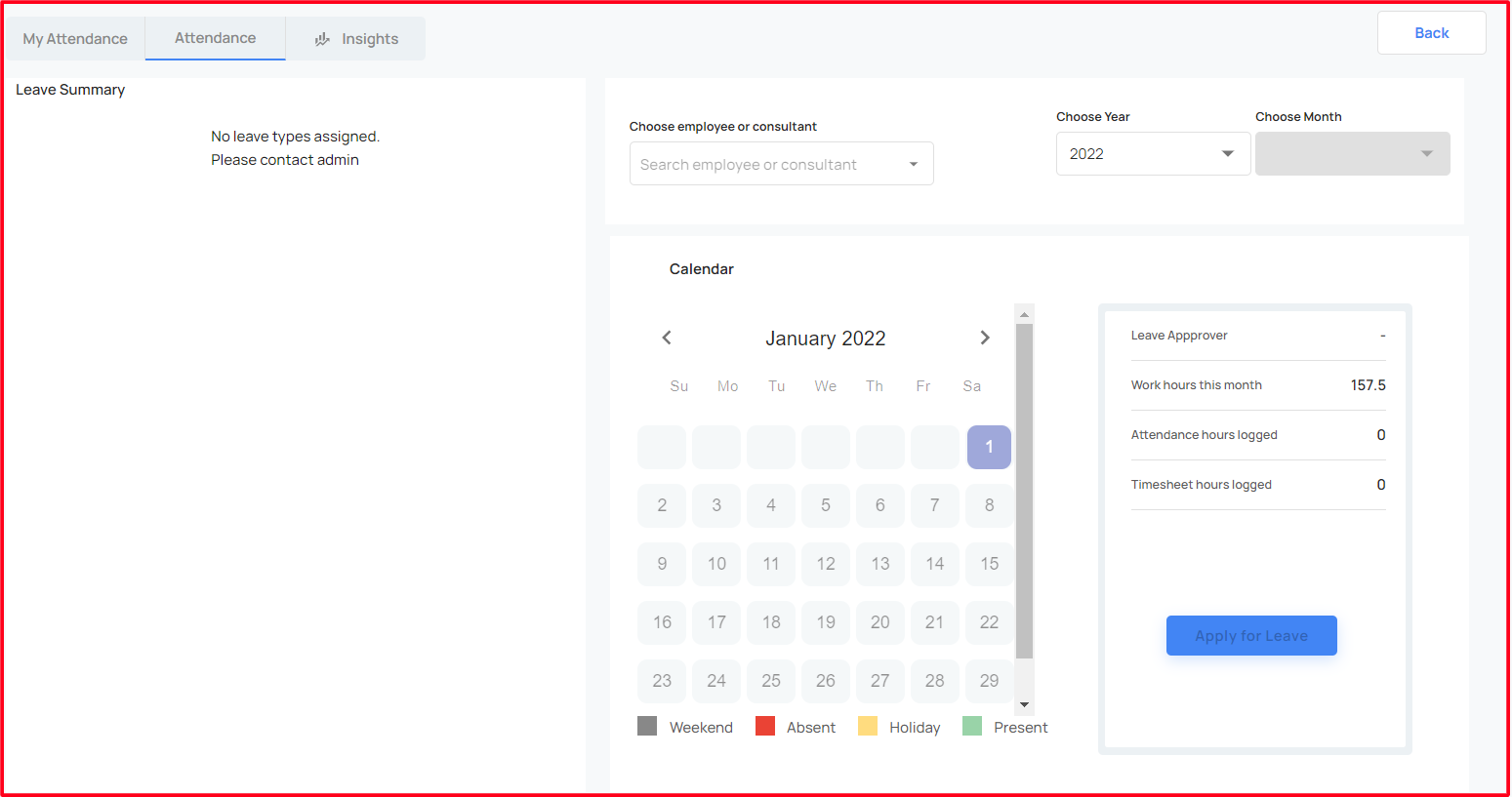
User can search data for any user for any month and year
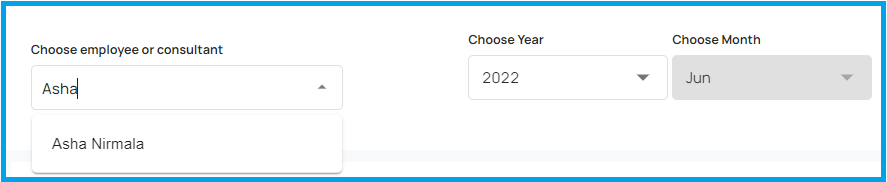
When Manager chosen the User, Year & Month, then Manager scroll down the page, Manager can modify the User’s attendance
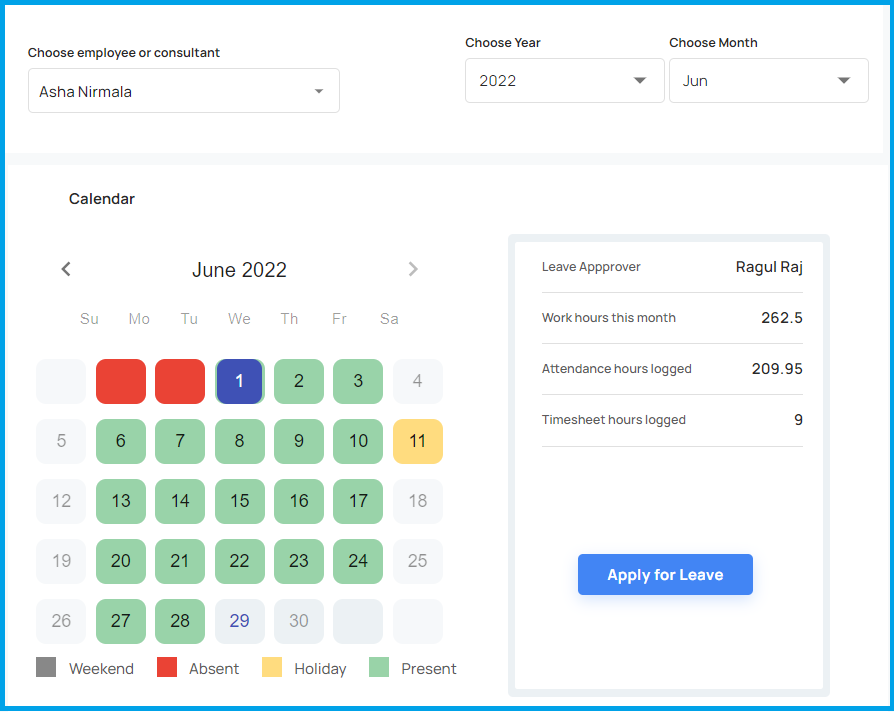
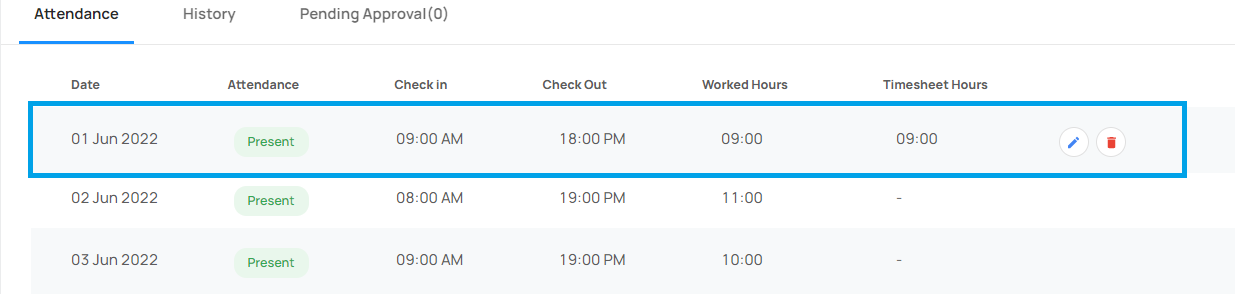
Also Manager can modify any existing month of the user’s attendance
Leave Policy
- The user able to apply the leave
- Able to view the leave summary
- Able to view the leave approver
- Able to view the leave history
- Able to manage the leave data
- Able to apply/ manage employee leave data in Manager view
Apply for a Leave
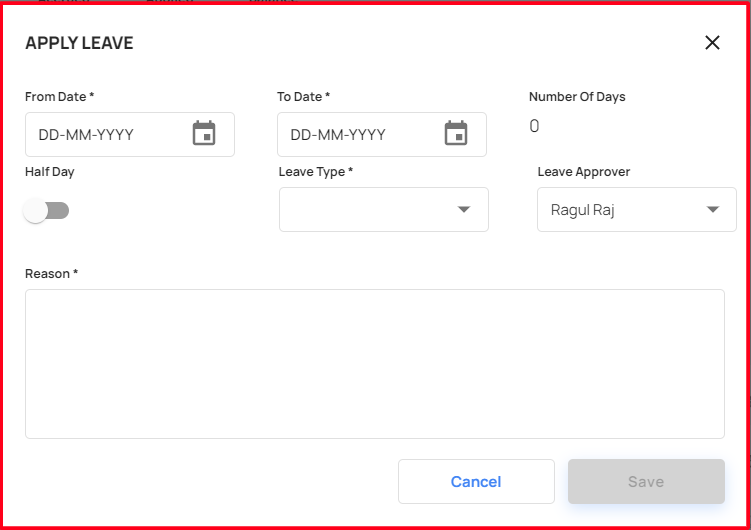
When the user click the Apply for Leave button, the user receive a leave apply form
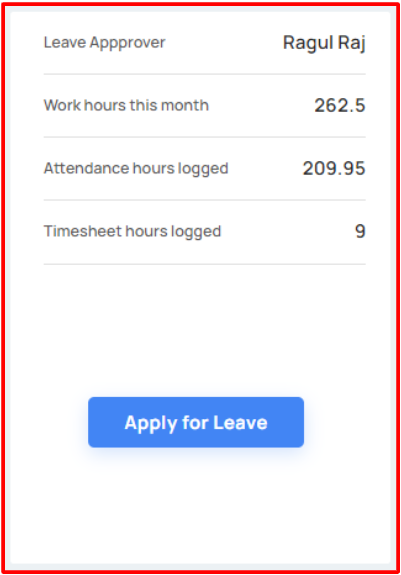
By filling the mandatory fields, then click the save button, the user can apply the leave
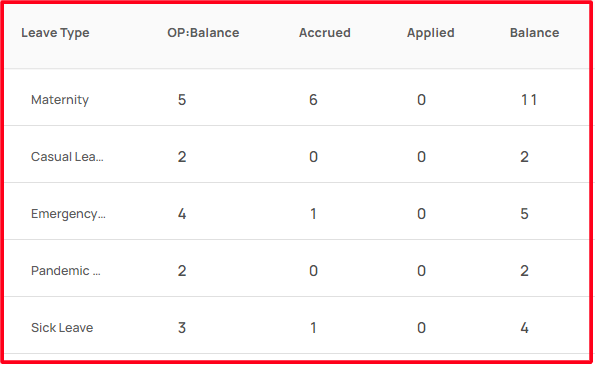
The user can view their leave summary details
- When he applied a leave the leave summary balance also changed
- If the user applied leave is approved or rejected, it also updated in the leave summary details
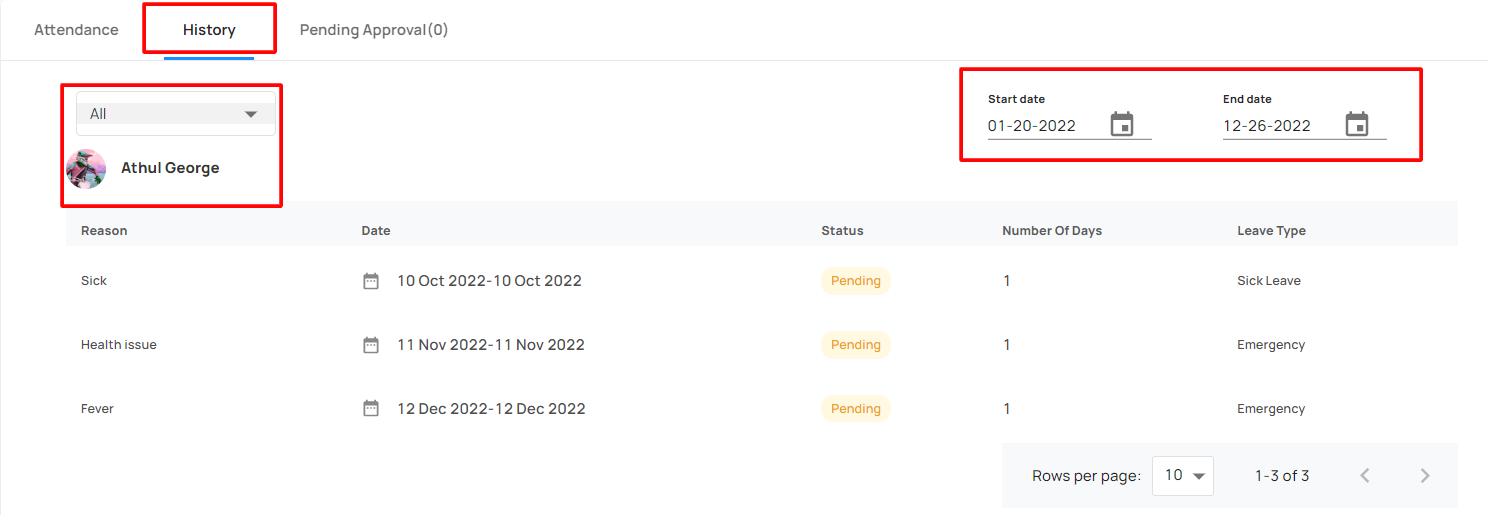
View the Leave history
The user can view thier leave history
Also can change the start date and end date
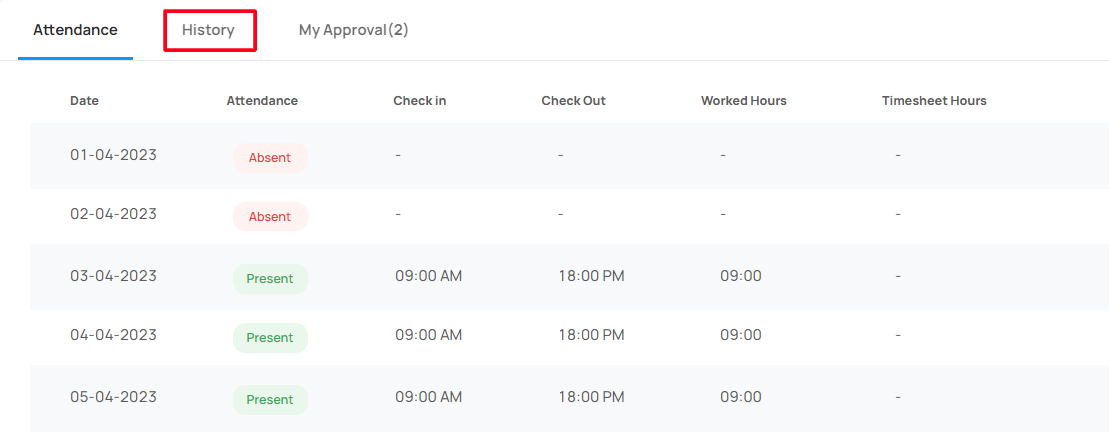
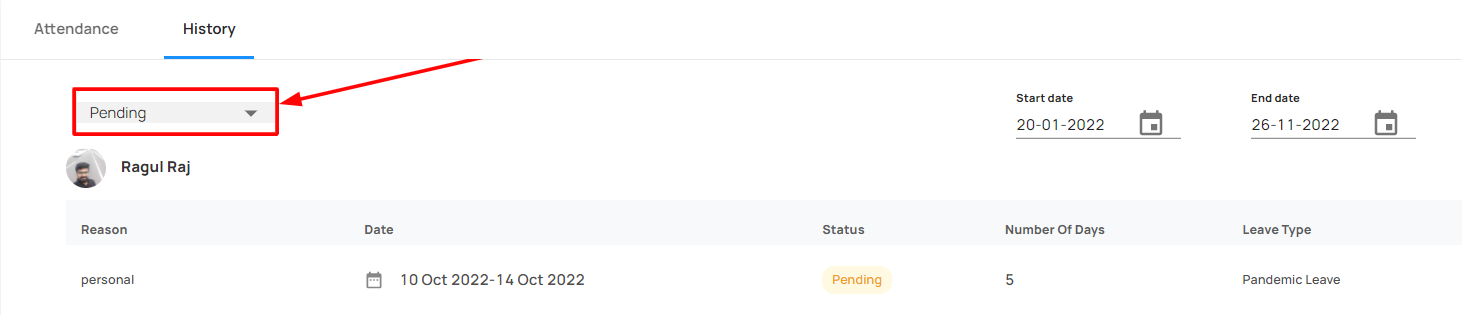
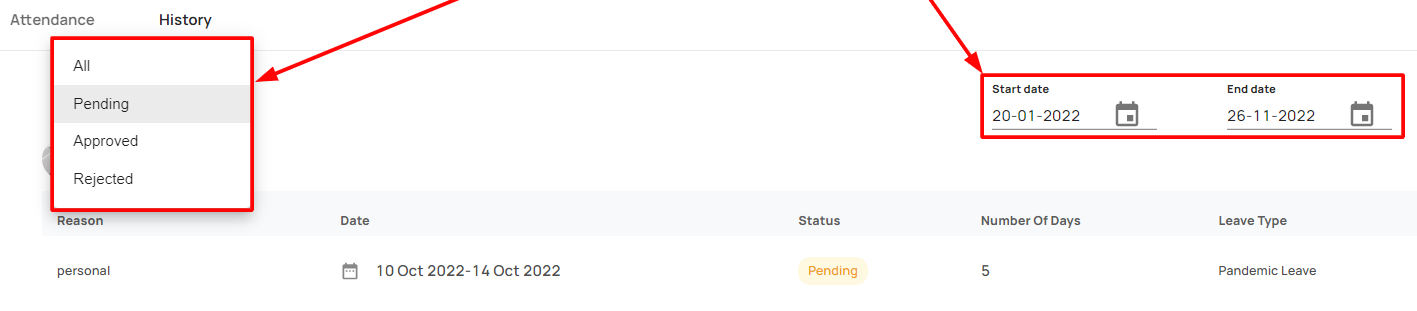
Manage the leave data
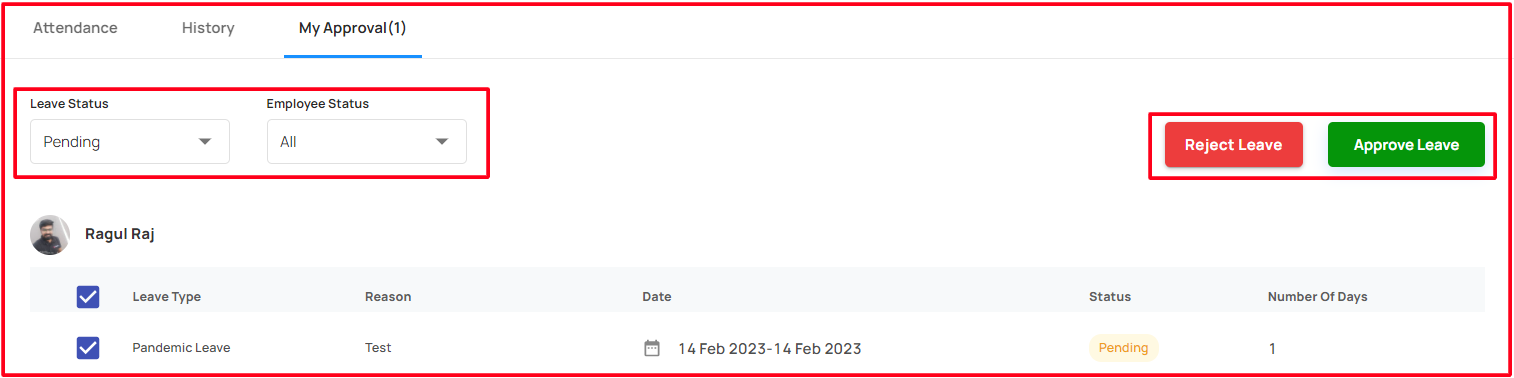
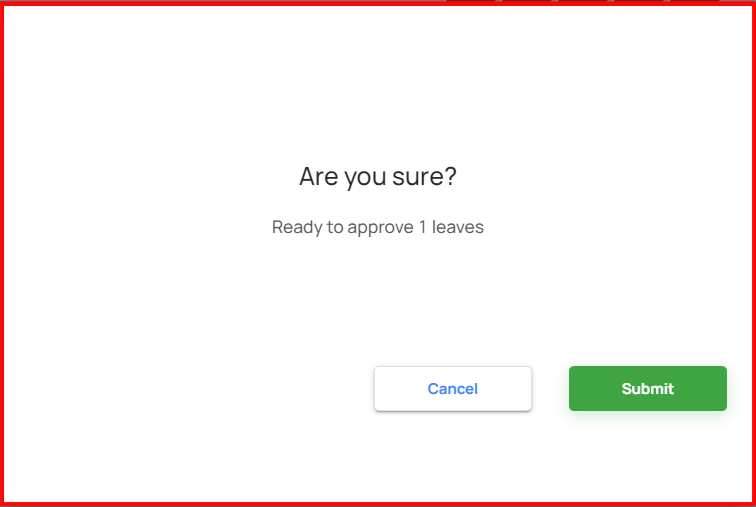
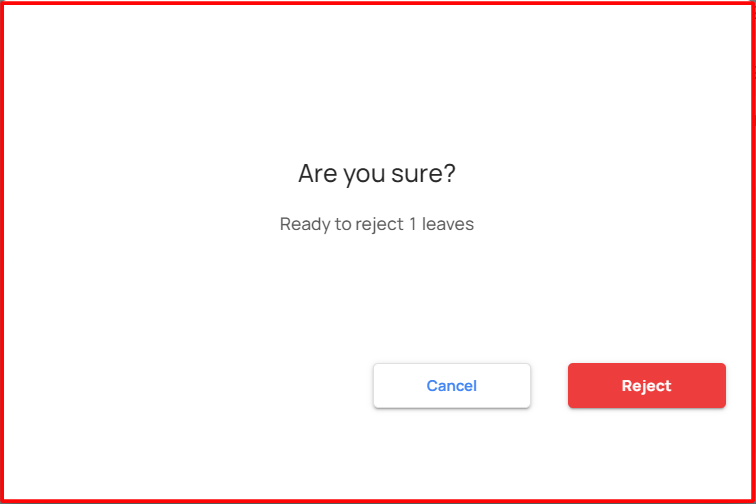
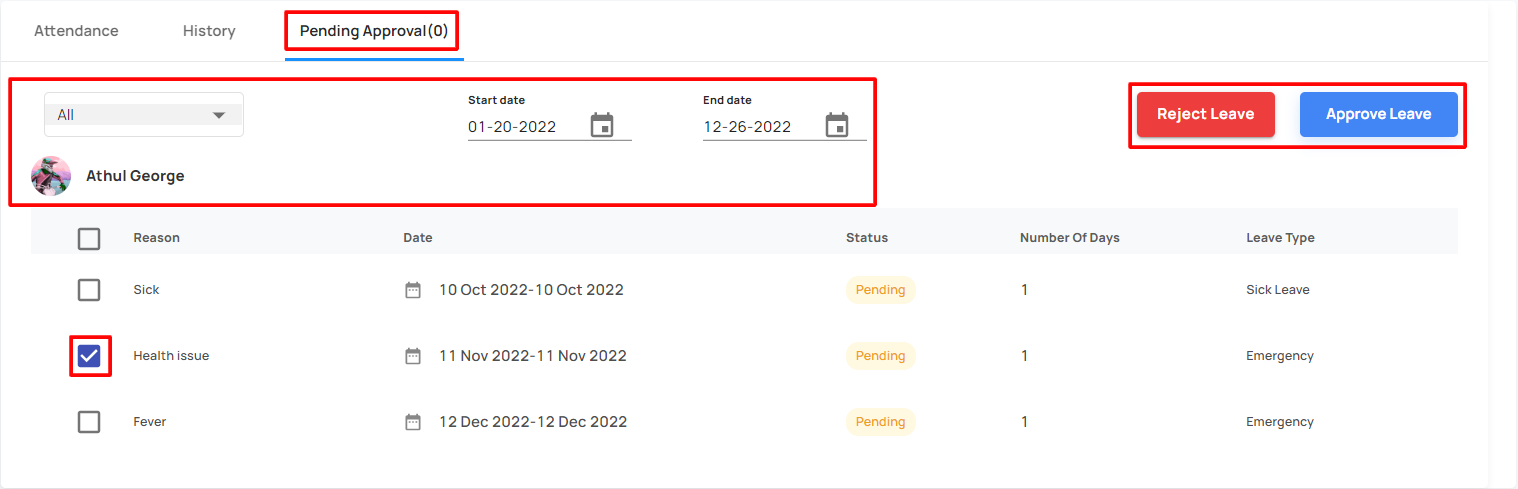
The reporter can view the users leave approval, to select the leave data, which can approve or reject it
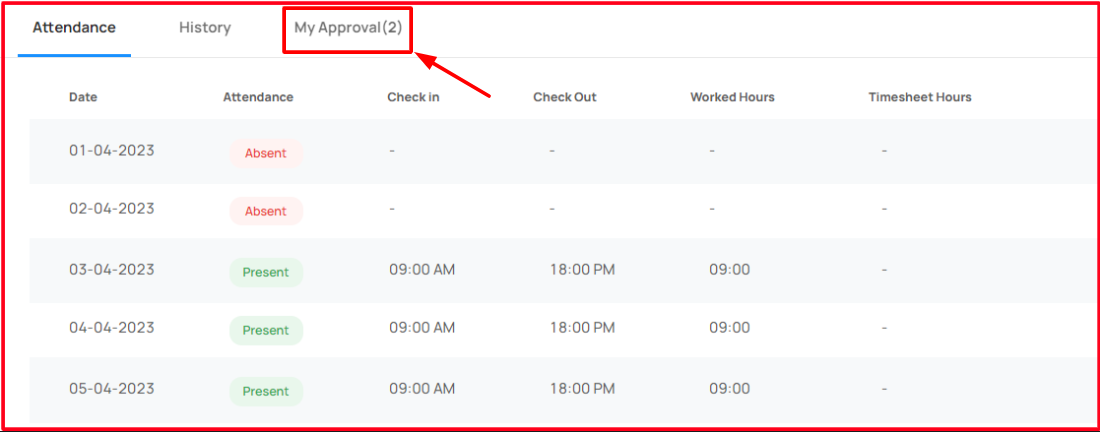
Apply / Manage the leave data in Manager view
Can able to choose an employee or a consultant, to view their leave summary, history and approval.
Can able to apply leave for them
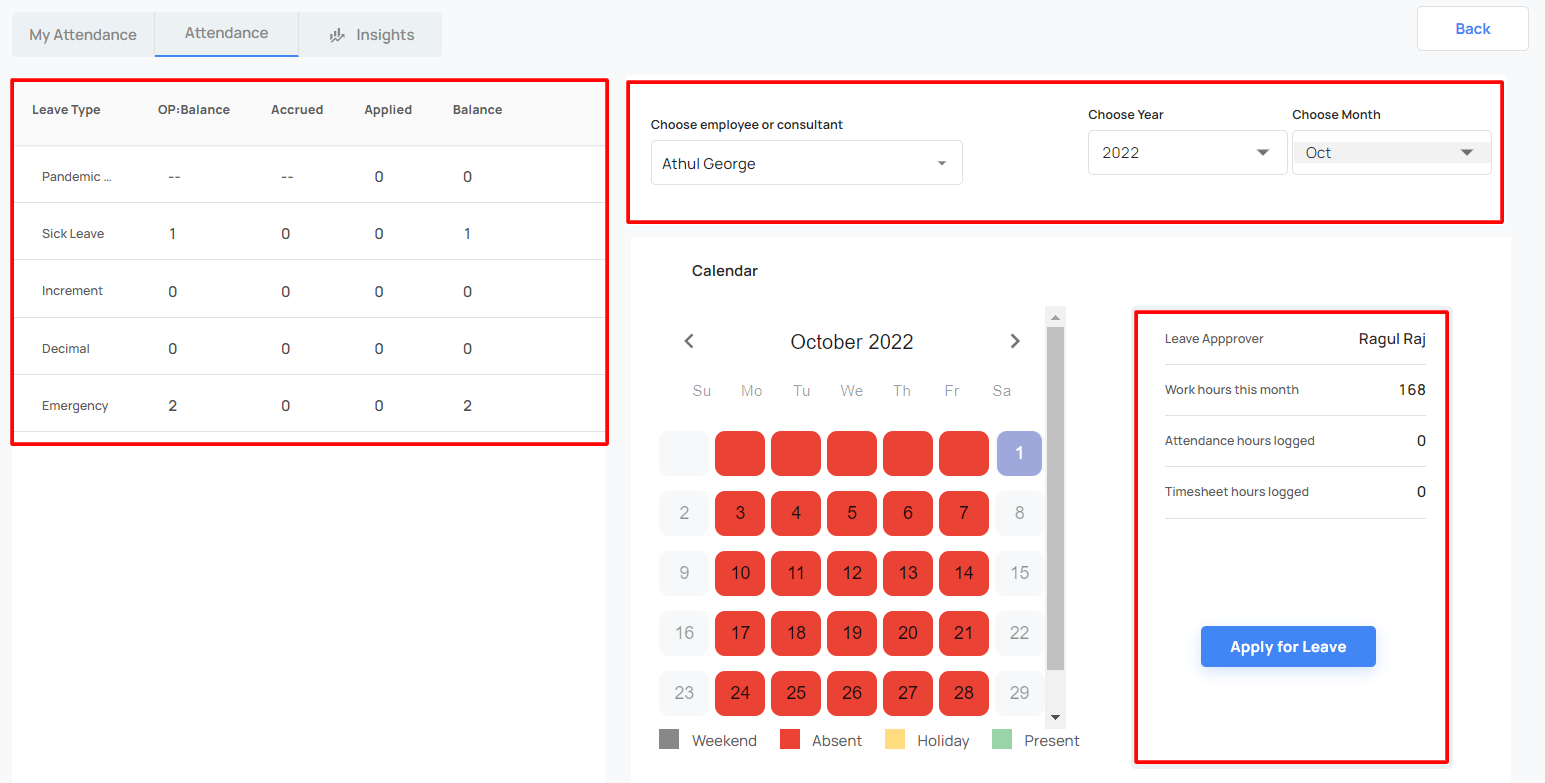
Can change the start date and end date
Insights
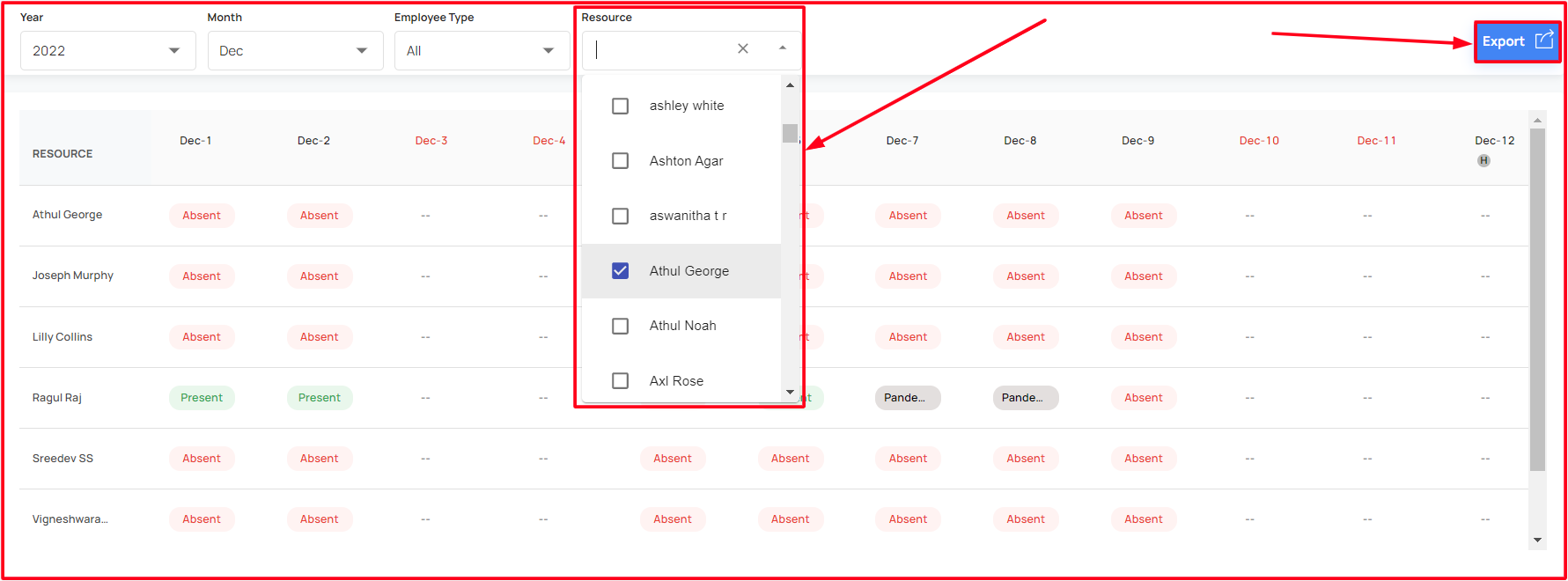
Able to get the brief details about the single/ multiple resource attendance details
Able to export the report